Receive Daily Blog Emails
You agree to receive daily blog emails a link to the full blog contents. You can unsubscribe at any time.
Be Sure To Check Your SPAM Folder For Your Welcome Message and WHITELIST Our Email So It Doesn't Go To SPAM In The Future!
Why Your Emails Keep Ending Up in the Spam Folder (And How to Fix It)
Wednesday, March 12, 2025
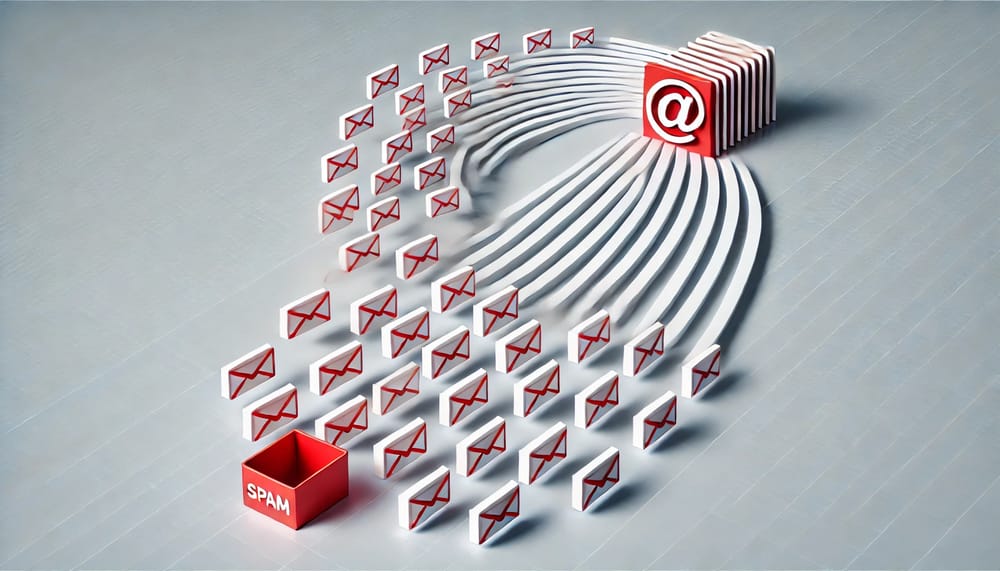
Crafting the perfect email campaign is no small feat—it takes time, creativity, and strategic planning. But all of that hard work means nothing if your emails land in the dreaded spam folder, never reaching your audience. For email marketers, few things are more frustrating.
If you’ve struggled to keep your email campaigns out of spam, you’re not alone. Spam filters are becoming increasingly sophisticated, and even legitimate marketers can fall victim to them. But there's good news. By understanding how these filters work and implementing best practices, you can improve your email deliverability rates and connect with your audience the way you intended.
This guide will cover everything you need to know about why emails end up in spam and, more importantly, how to prevent it from happening.
What Is the Spam Folder, and How Do Spam Filters Work?
Let's start with the basics. The spam folder is where email clients like Gmail or Outlook send emails that seem suspicious or irrelevant to the recipient. Spam filters are algorithms designed to protect users from unsolicited emails, phishing attempts, and malicious content.
While these filters excel at blocking harmful emails, they sometimes mistakenly classify legitimate marketing emails as spam. Here’s how spam filters make their decisions:
- Content Analysis: Scans your email for spammy words, phrases, or formats (e.g., excessive use of exclamation marks or words like “Free!!!”).
- Sender Reputation: Analyzes your sender's reputation based on past email activity, bounce rates, and user complaints.
- User Behavior: Accounts for how recipients interact with your emails (e.g., open rates, clicks, or marking your email as spam).
Knowing how these factors come into play will help you craft emails that pass spam filters and land where they belong—in your recipient's inbox.
Common Reasons Emails Land in Spam
Spam filters rely on a combination of factors to determine whether your email deserves a spot in the inbox or spam folder. Below are the most common reasons marketers find their emails trapped in spam and how you can avoid them.
1. Low Sender Reputation
Your sender reputation acts like a credit score for email marketing. It tells email providers how "trustworthy" your email address is. A low reputation can steer all your emails straight to spam.
How to Improve It:
- Stick to a consistent email schedule to reassure email providers of your legitimacy.
- Use tools like Google Postmaster Tools or SenderScore to measure and monitor your reputation.
- Minimize bounce rates by verifying email addresses before sending campaigns.
2. Poor Content and Spammy Language
Email content filled with spammy words, ALL CAPS, or excessive exclamation marks will trigger spam filters. Even small errors, like improper formatting or broken links, can signal an issue.
Avoid These Pitfalls:
- Avoid trigger words like "Free," "Act Now," "Limited-Time Offer," or "Click Here."
- Provide value and clear intent with your subject lines and body content. For example, instead of “FREE products for you!!!,” try “A gift you’ll love—on us.”
3. Lack of User Engagement
Spam filters analyze how recipients interact with your emails. If users frequently delete your emails or ignore them, your campaigns become likely candidates for spam.
Build Engagement:
- Craft compelling subject lines to increase open rates.
- Use personalization to make emails feel tailored to the recipient’s interests or needs.
- Include a strong call to action (CTA) to drive clicks.
4. Missing Authentication Protocols
Email authentication protocols—such as SPF, DKIM, and DMARC—legitimize your emails and provide increased protection against phishing scams and spam.
How to Fix It:
- Work with your email service provider to set up SPF (Sender Policy Framework), DKIM (DomainKeys Identified Mail), and DMARC (Domain-based Message Authentication, Reporting, and Conformance).
- Test your email authentication using tools like MailTester or MXToolBox.
5. Not Including an Unsubscribe Link
It may seem counterintuitive, but not including an unsubscribe link is a one-way ticket to the spam folder. Why? It violates anti-spam laws like CAN-SPAM and GDPR.
Ensure Compliance:
- Include a clearly visible, one-click unsubscribe link in every email.
- Avoid making the unsubscribe process unnecessarily complicated.
6. Overwhelming Graphics and Large Attachments
Flashy designs might catch the recipient’s eye, but they can also trigger spam filters. Emails with large image-to-text ratios or files that are too bulky often get flagged.
Balance Is Key:
- Keep visual elements simple and balanced with sufficient text content.
- Use properly compressed images and avoid sending attachments when possible. Instead, use links to external resources.
7. Buying Email Lists
Buying email lists might seem like a fast-track method to reach potential customers, but it’s more likely to harm your marketing efforts. These lists often contain inactive, invalid, or unverified addresses, which can destroy your sender reputation.
What to Do Instead:
- Stick to organic list-building strategies, such as offering valuable lead magnets or hosting webinars.
- Focus on growing your subscriber base through trust and meaningful engagement.
Practical Tips to Keep Your Emails Out of Spam
Now that you understand the most common reasons emails get flagged as spam, here are actionable tips to improve your deliverability rates.
1. Use a Reliable Email Marketing Platform
Platforms like ClickFunnels, AWeber, Mailchimp, Constant Contact, or HubSpot come equipped with built-in tools to monitor deliverability, apply authentication protocols, and maintain clean lists.
2. Create a Double Opt-In Process
A double opt-in requires recipients to confirm their subscription, ensuring you only send emails to active, engaged users. This step reduces the likelihood of spam complaints and bounce rates.
3. Write Relevant and Engaging Content
Focus on solving your audience’s pain points. Include personalized recommendations, tutorials, or exclusive offers. Tools like Grammarly or Hemingway Editor can help polish your copy for clarity.
4. Test Before You Send
Before sending your campaign to a large list, test the email with tools like Litmus or MailTester. These platforms simulate spam filters and provide insights on what to fix.
5. Keep Your Email List Clean
Regularly scrub your email list of inactive users. A high rate of unopened emails signals to spam filters that your emails lack relevancy. Move inactive users to a warm-up list and bring them back slowly over time.
Boost Your Email Performance Today
Landing in your recipient’s inbox—and staying there—requires a combination of strategy, best practices, and tools. By addressing the most common causes of spam deliverability and implementing the fixes outlined in this guide, you’ll take your email campaigns from frustrating to effective.
Remember, consistently monitoring your sender reputation, personalizing your content, and staying compliant with regulations can make all the difference. If you’re ready to level up your email marketing game, start applying these steps today.
For more online marketing insights, click the link and come join my FREE Mastermind Group.

Tim Hewitt, Author
Tim is a Freelance Digital Marketer who specializes in helping other marketers to find ways to earn online. When you are frustrated with your prior efforts, Tim will help you find the way!
Copyright © 2026, The Digital Marketing Buzz | All Rights Reserved.