Receive Daily Blog Emails
You agree to receive daily blog emails a link to the full blog contents. You can unsubscribe at any time.
Be Sure To Check Your SPAM Folder For Your Welcome Message and WHITELIST Our Email So It Doesn't Go To SPAM In The Future!
How to Get More Views from Your Ideal Customer on Pinterest
Thursday, February 13, 2025
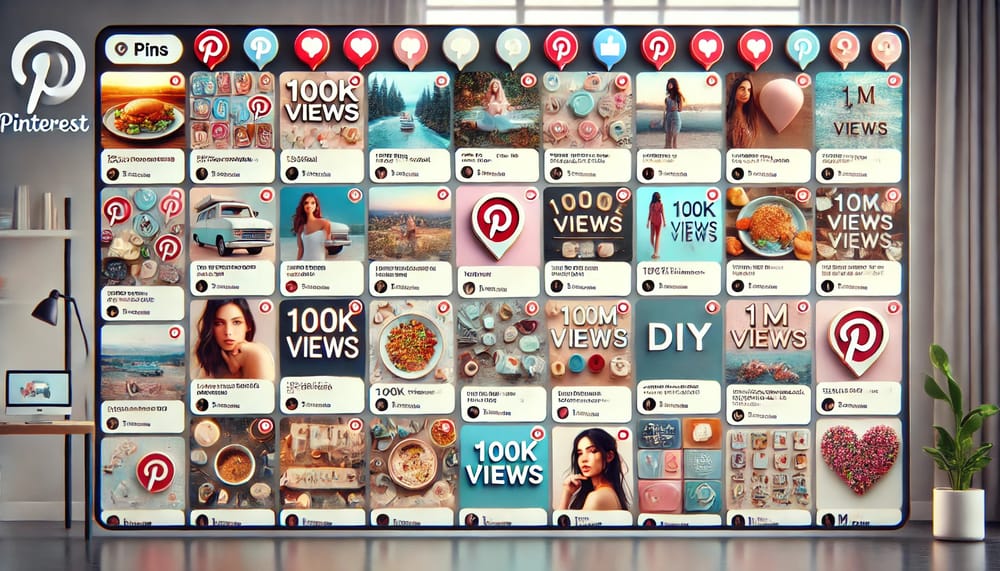
Pinterest is more than just a platform for recipes and DIY projects—it's a powerful search engine with over 450 million monthly active users. For digital marketers, it's a hidden gem for driving traffic, generating leads, and reaching your ideal customer. But with so much content on Pinterest, how do you ensure your pins stand out and attract the right audience?
This guide will show you exactly how to get more views on Pinterest from people who are most likely to become your customers. We'll explore strategies like optimizing your profile, creating scroll-stopping content, using keywords effectively, and leveraging analytics to refine your approach.
Why Pinterest Matters for Digital Marketers
Pinterest works differently than most other social media platforms. While Facebook or Instagram posts tend to have a short shelf life, Pinterest pins are evergreen. A well-optimized pin can continue to bring traffic and engagement months (or even years) after it’s posted. This makes Pinterest an outstanding tool for building a long-term content marketing strategy.
But the real magic lies in how user behavior aligns with customer intent. According to Pinterest Business, 85% of users turn to Pinterest when starting a new project, and 97% of searches are unbranded. This means users are actively looking for ideas, products, or services and are open to discovering new brands—which could be yours.
Now that you understand the platform's potential, let's dive into actionable steps to help you grow your Pinterest presence and reach your target audience.
Step 1: Know Your Ideal Customer
Before you start creating content, you need to understand who your ideal customer is. Ask yourself the following:
- What are their interests? What topics are they searching for on Pinterest?
- What problems are they trying to solve? How can your product or service help?
- Where are they in their buyer’s journey? Are they looking for inspiration, solutions, or product recommendations?
Build a customer persona that includes demographic information (age, location, etc.), pain points, and buying behaviors. This will help you tailor your Pinterest strategy to their needs and interests.
Pro Tip:
Browse Pinterest as your ideal customer would. Search for topics related to your niche and note the pins your competitors have created. What stands out? What kinds of images and headlines capture attention? This can provide insight into what resonates with your audience.
Step 2: Optimize Your Pinterest Profile
Your profile is the starting point for your Pinterest strategy. You want it to be professional, clear, and easily searchable.
1. Write a Strong Profile Bio
Your bio should clearly state who you are and how you can help your audience. Include relevant keywords that your ideal customer is likely to search for.
Example:
“Helping busy moms meal prep in 30 minutes or less | Recipes, meal plans, & time-saving kitchen tips | MealPrepPro.com”
2. Use a Professional Profile Picture
Ideally, this should be a logo or a headshot that aligns with your branding. A clear and recognizable image builds trust with your audience.
3. Create Keyword-Rich Boards
Organize your boards around specific topics relevant to your audience. Use descriptive titles and board descriptions with keywords your audience might use in their searches.
Example:
Instead of naming a board “Ideas 🚀,” use a more specific title like “Social Media Marketing Tips for Small Businesses.”
Step 3: Create Pinnable and Engaging Content
Pinterest is a visual platform, so your pins need to grab attention if you want to stop users in their scroll.
1. Design High-Quality Pins
Invest in tools like Canva to create professional, eye-catching designs. Use the following best practices:
- Vertical images with a 2:3 aspect ratio
- Bold text overlays that clearly convey your message
- High-resolution photos that are relevant to your content
- Consistent branding, including your logo or brand colors
2. Write Compelling Pin Titles
Your title should immediately communicate the value of your pin. Think about what problem you’re solving or benefit you’re offering.
Example:
- "10 Easy Social Media Strategies to Grow Your Business"
- "15-Minute Workouts for Busy Professionals"
3. Add Descriptive Pin Descriptions
Descriptions are your chance to include keywords and encourage users to click on your pin. Make them informative, and end with a clear call to action (e.g., “Click for the full guide!”).
Step 4: Use Keywords Strategically
Pinterest functions as a search engine, so keywords are critical if you want your content to be discoverable by your target audience.
1. Do Keyword Research
Use Pinterest’s search bar to find trending keywords in your niche. Start typing a relevant term (e.g., “content marketing”), and look at the autocomplete suggestions. These are phrases real users are searching for.
2. Optimize Everything
Include keywords in the following areas:
- Pin titles
- Pin descriptions
- Board titles and descriptions
- Your profile bio
- Alt text for your pin images
But remember, don’t overstuff keywords. Make sure everything reads naturally and provides value.
Step 5: Engage With Your Audience
While Pinterest isn’t as social as platforms like Facebook or Instagram, engagement still plays a key role.
1. Respond to Comments
When users comment on your pins, reply promptly to answer their questions or thank them for their feedback.
2. Repin and Save Content
Engage with other users' content by repinning related pins to your boards. This demonstrates that you’re an active member of the Pinterest community and helps boost your visibility.
3. Use Rich Pins
Rich pins automatically pull information from your website to make your content more informative and clickable. For example, product pins include real-time pricing and availability, while recipe pins display ingredient lists and cooking times.
Step 6: Analyze, Test, and Refine
Pinterest’s built-in analytics tool and third-party tools like Tailwind allow you to track your performance and refine your strategy.
1. Monitor Your Metrics
Pay close attention to key metrics like impressions, click-through rates (CTR), saves, and engagement. Which pins are performing best? Which boards generate the most saves?
2. Test Different Approaches
Run A/B tests by changing one element of a pin (e.g., headline or image) while keeping everything else the same. This can help you determine what resonates best with your audience.
3. Adjust Based on Data
If a board or keyword isn’t driving traffic, consider refining your strategy or focusing on a different area of your niche.
Grow Your Pinterest Presence Today
Getting more views from your ideal customer on Pinterest takes a combination of strategy, creativity, and consistency. By understanding your audience, optimizing your profile, and creating engaging, keyword-rich content, you can turn Pinterest into a powerful tool for reaching and converting your target audience.
If you’re ready to take your Pinterest strategy to the next level, start implementing these tips today. And don’t forget—success on Pinterest is all about providing value to your audience while staying authentic to your brand.
We have a very straightforward program that will teach you what you need to know for Affiliate Marketing. It’s a 5 day training for only $14, and you can find it at this link. Take a chance, learn what affiliate marketing is all about, and reach out to me for any other questions you might have.
Disclaimer: If you click on links we provide and make a purchase, we may receive compensation. There is never any guarantee of income in any of the links or programs we provide.

Tim Hewitt, Author
Tim is a Freelance Digital Marketer who specializes in helping other marketers to find ways to earn online. When you are frustrated with your prior efforts, Tim will help you find the way!
Copyright © 2026, The Digital Marketing Buzz | All Rights Reserved.